The Productivity Tools You Actually Keep Using
Here is a thought worth sitting with: the average knowledge worker now spends more time managing their productivity system than actually doing productive work. Between the task manager you set up in January, the note-taking app you migrated to in March, the calendar blocking method you abandoned by May, and the AI writing assistant you are still not sure about, the tools have become the job. This is not laziness. It is the opposite. It is the desperate hope that the right configuration of software will finally make the hard parts of thinking feel easy.
They never do. Not because the tools are bad, but because knowledge work has a property that most productivity advice refuses to acknowledge. The thinking is the work. You cannot outsource the hard part to a checkbox.
The Cognitive Overhead Trap
Every tool you add to your workflow comes with a hidden cost. It is not the subscription price. It is the cognitive overhead of deciding how to use it, remembering where you filed something, and maintaining the habit of keeping the system alive. Researchers who study this call it the paradox of active choice. The more decisions a tool asks you to make upfront (“which folder should this go in?”, “what tag applies here?”, “is this a task or a project?”), the less energy you have left for the actual work.
This is why Notion libraries turn into digital graveyards and why elaborate GTD setups collapse within six weeks. They are not bad systems. They demand more maintenance than the user can sustain. The difference between a productivity setup that lasts and one that does not is rarely about features. It is about whether the system survives your low-energy days. If maintaining the system requires more executive function than the work itself, the system will lose every time.
What AI Actually Does for Knowledge Workers
AI tools enter this picture in an interesting way. They do not eliminate the need for thinking, but they can absorb some of the mechanical overhead that makes thinking harder.
Consider the parts of knowledge work that are not actually knowledge work. Drafting an email that says the same thing you said last week. Summarizing a meeting transcript into bullet points. Rewriting a paragraph because the tone is off. Formatting a document that should have been formatted by the tool in the first place. These tasks do not benefit from deep thought. They benefit from being done quickly so you can get back to something that matters.
The trap is thinking that because AI can do one thing well, it should be trusted with everything. AI writing assistants are great for first drafts and terrible for final judgment. AI note-taking tools are great for transcription and mediocre for organization. The skill is not in using AI. The skill is in knowing exactly which part of your workflow benefits from speed and which part still needs your full attention.
The Filter That Matters
After watching my own tool habits and those of people around me, one pattern keeps surfacing. The tools that stick are the ones that require zero decisions to use. They live in the path of least resistance. They do not ask you to categorize, tag, sort, or prioritize before they let you do the thing you opened them for.
A simple notebook and a pen pass this test. A text editor with no formatting options passes. A task list that is just a list, no folders, no labels, no priority matrix, passes. The more a tool resembles a blank page, the longer it survives in real use.
The catch is that blank pages do not scale well. When you have meetings across three time zones, research scattered across twenty browser tabs, and writing deadlines that stack unpredictably, a blank page is underspecified. You need some structure. The question is where to draw the line between helpful structure and administrative bloat.
A good rule of thumb: if you spend more than five minutes a day organizing your productivity system, you have overshot. The system should be boring. It should be so straightforward that you never think about it. The moment you start tweaking, configuring, or “optimizing” the system instead of doing the work, you have lost the plot.
Where Shortcuts Are Safe
There is a second filter that helps separate useful tools from time sinks. The tasks where speed matters most are the ones with the lowest stakes. A draft email does not need to be brilliant. A meeting summary does not need to be poetic. A first attempt at an outline does not need to be structured correctly.
These low-stakes tasks are where AI shortcuts earn their place. They are also where most perfectionists get stuck. The instinct to polish every output, even the throwaway ones, is expensive. Recognizing which tasks are low-stakes and treating them accordingly is a skill worth developing. The book I wrote on this topic spends a fair amount of time on this distinction because it is the single largest source of wasted time among the knowledge workers I have worked with. We are not bad at our jobs. We are bad at knowing when good enough is enough.
The Real Bottleneck
Here is the part that no tool solves: the bottleneck in knowledge work is almost never information retrieval. It is judgment. Knowing which problem to work on, what standard of quality is appropriate for this specific output, and when to stop refining and ship. These are human decisions that no amount of tooling can offload.
What tools can do is protect the time and attention you need to make those decisions well. A good calendar tool does not schedule more things. It protects empty space. A good note-taking app does not store more information. It surfaces the right information at the moment you need it. A good AI assistant does not write your documents. It handles the mechanical parts so your brain is fresh for the parts that matter.
If you look at your current tool stack and most of your tools are asking for your input rather than removing friction, you have the relationship backwards. The tool should serve your attention, not the other way around.
Building a System That Lasts
The practical takeaway is not as exciting as a new app announcement, but it is more durable. Start by identifying the three tasks that consume most of your mental energy each week. For each one, ask a simple question: does this task benefit from my full judgment, or would speed be more valuable than precision?
If the answer is speed, look for a tool that makes that specific task faster without asking you to learn a new workflow. A standalone tool that does one thing well and gets out of your way will outperform an integrated suite that demands ongoing configuration.
If the answer is judgment, clear the path. Remove friction from the surrounding tasks so you can focus on the decision that matters. This often means spending less time on tools, not more. A two-minute email template that saves you thirty seconds per message is worth keeping. A complex automation that saves you five minutes but breaks twice a year is not.
The book I put together on this topic walks through each of these filters with concrete examples from real workflows. It covers how to evaluate tools before you invest time in them, how to spot the difference between useful automation and distracting optimization, and how to build a productivity approach that survives the weeks when your energy is low. If any of this sounds familiar to your own experience, it might be worth a look.
For a full walkthrough of these principles and the specific tools and workflows that implement them, check out AI Productivity for Knowledge Workers on Amazon.
Related Posts

Kyoto Without the Tourist Script
Most Kyoto guides send you to the same crowded spots. Here is a different approach to visiting Kyoto that focuses on timing, neighborhoods, and the experiences that reward the independent traveler.
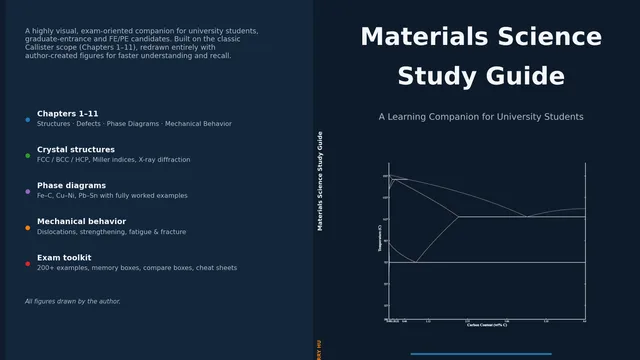
How to Study Materials Science Without Drowning in Derivations
Materials science textbooks bury you in math before you grasp the concepts. Here is a different approach, using active recall and structured notes to learn crystal structures, phase diagrams, and mechanical properties.
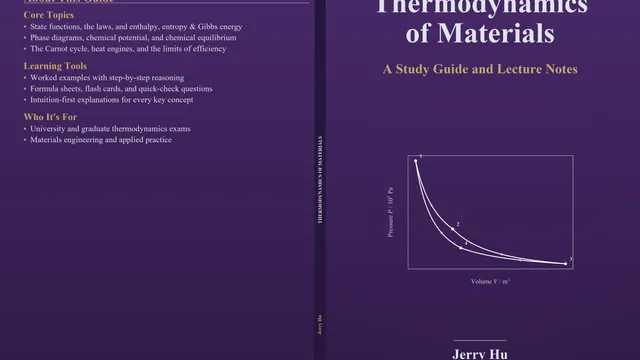
Why Thermodynamics Feels Harder Than It Is
Materials thermodynamics intimidates engineering students more than it should. The key is separating the conceptual core (free energy, equilibrium, phase stability) from the mathematical machinery used to calculate them.