Load instrument data
Open PANalytical .xrdml, Bruker .brml, .uxd, .xy, .txt, and .csv directly. Load, stack, and compare multiple samples together.
Windows analysis software for materials researchers
Open .xrdml, .brml, .uxd, .xy, and common text formats directly. Clean, detect, analyze, style, and export in one local workflow, without Origin or a Python environment.
Free forever · No account · No watermark · No experimental data upload
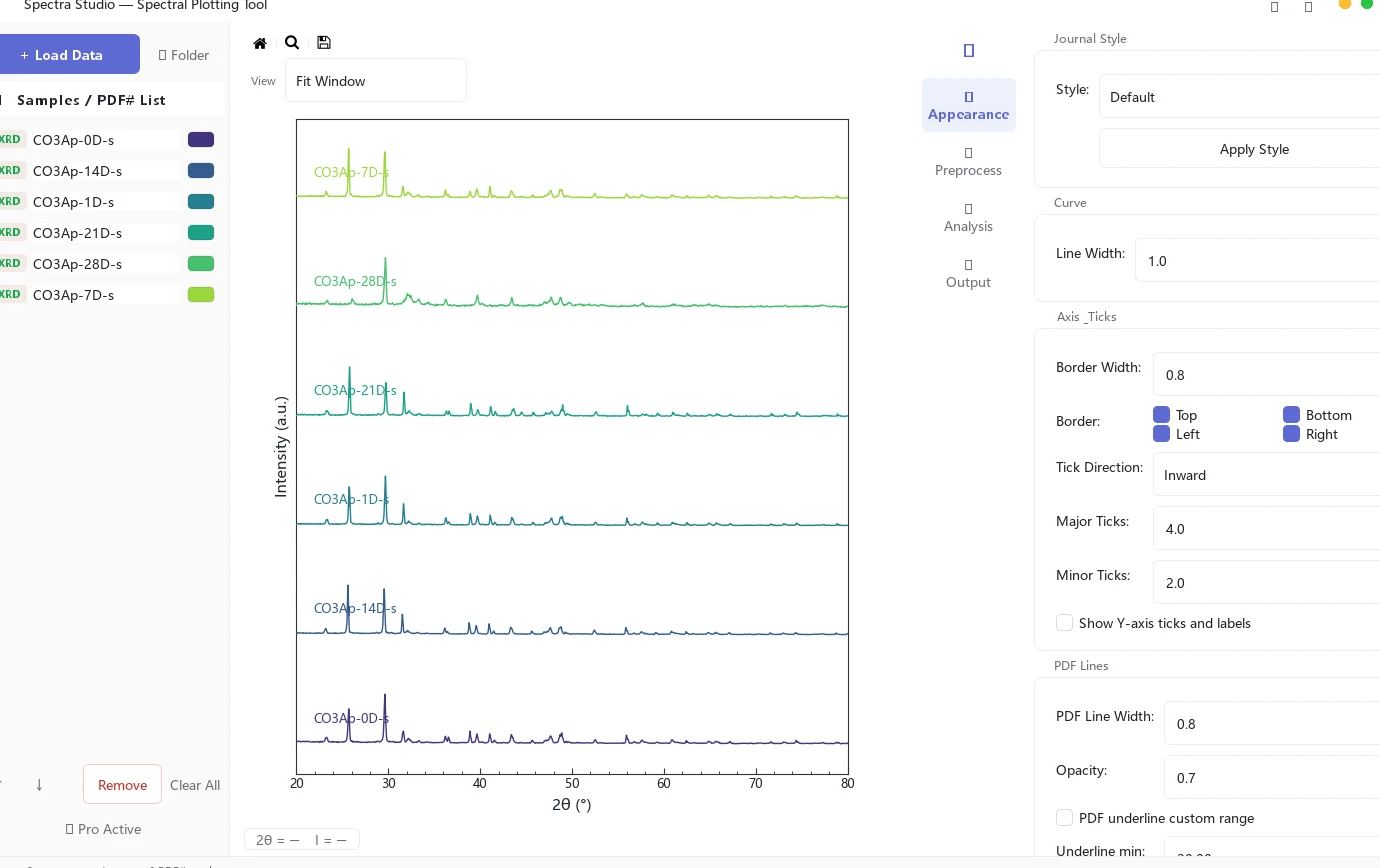
Not a mystery executable
The release history, installer, and checksum are public. Free needs no account, and all analysis stays on your computer except Pro license verification.
Verifiable product evidence
You do not need to trust a user quote first. Inspect the real application screen, exported results, public release, and stated limits, then test the free edition with your own data.
Three-step workflow
Your scientific judgment should not be spent converting files, rebuilding baselines, and redrawing figures.
Open PANalytical .xrdml, Bruker .brml, .uxd, .xy, .txt, and .csv directly. Load, stack, and compare multiple samples together.
Smoothing, ALS baseline, peak detection, peak fitting, crystallite size, phase tools, and Tauc bandgap live in one interface.
Apply Nature, ACS, or Elsevier styling. Free exports PNG/JPG; Pro adds PDF, SVG, EPS, and TIFF.
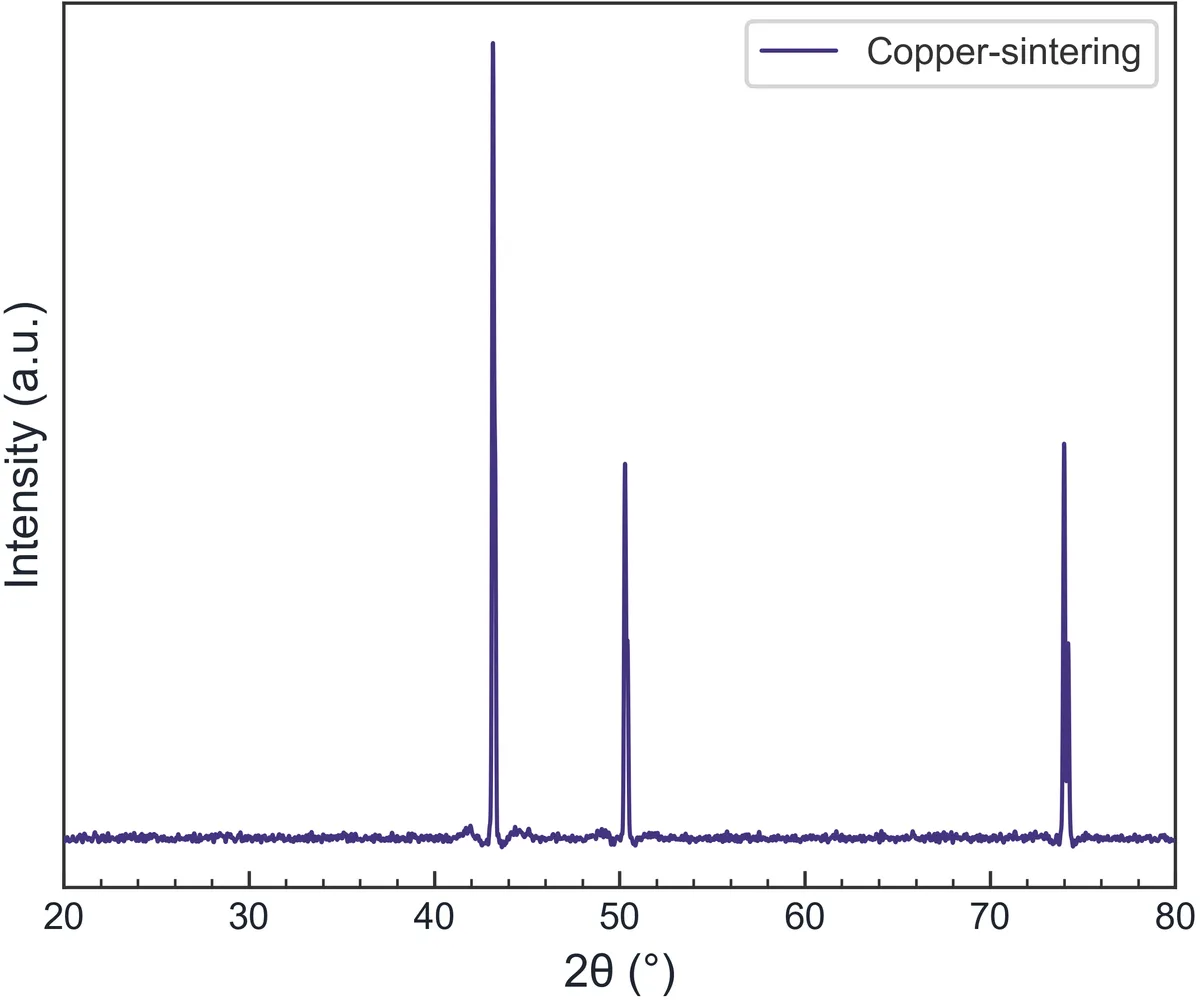
Pro analysis
Upgrade only when you reach an advanced-analysis bottleneck. The free edition still covers everyday plotting.
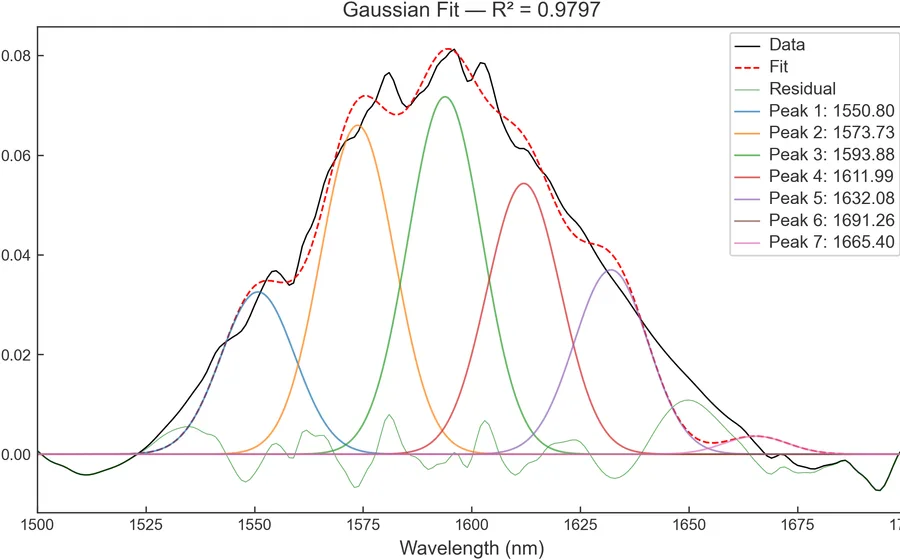
Gaussian, Lorentzian, and mixed profiles with peak position, FWHM, area, R², and residuals.
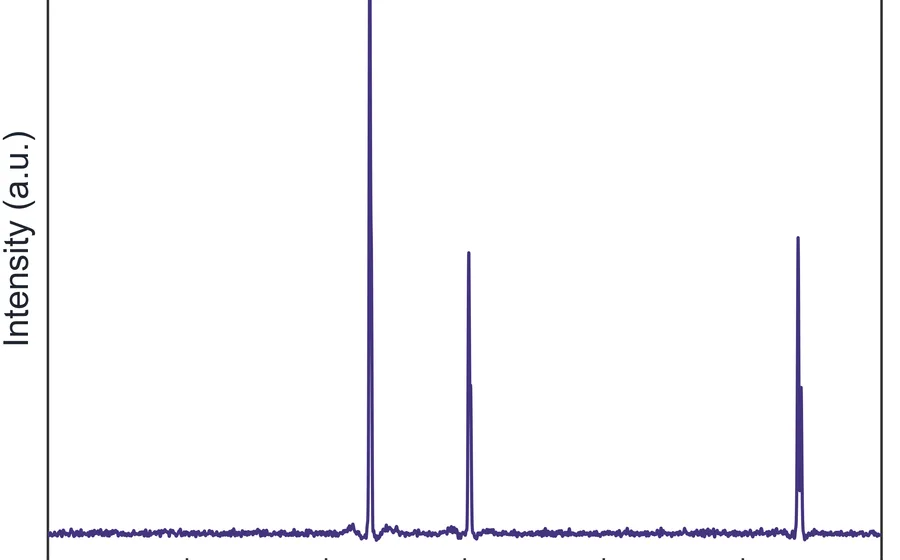
Calculate crystallite size from peak width, then estimate microstrain and linear-fit quality across multiple peaks.
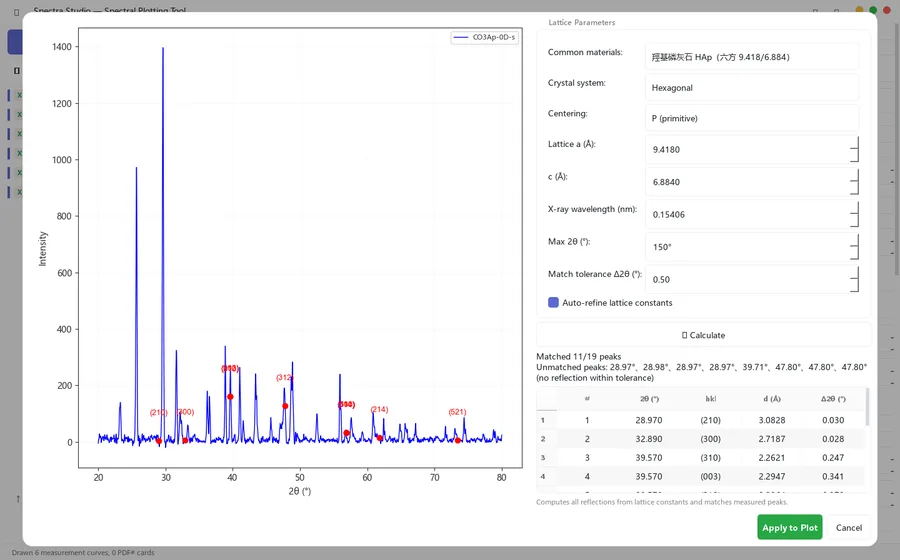
Match peaks with reference cards or lattice parameters and place phase and hkl labels directly on the figure.
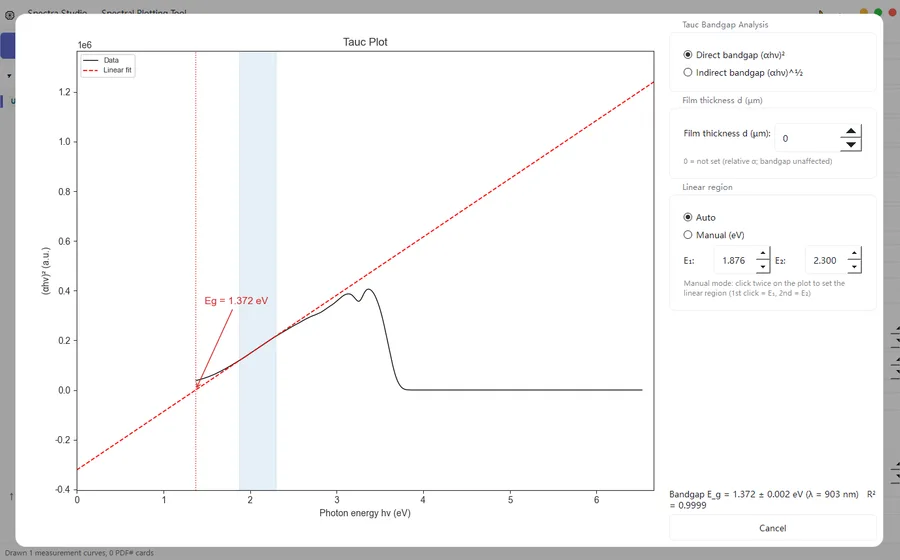
Switch between direct and indirect UV-Vis bandgaps with automatic or manually selected linear regions.
Recorded proof
This is not a concept animation. The video records Spectra Studio loading, analyzing, styling, and exporting actual spectra.
Read the full guide →Transparent delivery
Public versions live in GitHub Releases, where you can inspect dates, file sizes, and the full release history.
View v2.1.4 →The installer includes a SHA-256 checksum. Verify it yourself with Get-FileHash in Windows PowerShell.
No spectra or sample data are uploaded. Free needs no account; Pro connects only for activation and periodic validation.
Read the privacy policy →Built by Jerry Hu at Hu Lab. Releases, issue reporting, and the author profile all have public links.
Meet the developer →241798d2376cebefb7cc397f845ae6dbae2f0179ba0384ec3d157bce4bea6096 Simple pricing
Enough for routine cleanup, comparisons, and journal-style figures.
Unlock submission and deep-analysis workflows in one license.
No subscription, no add-ons, and no second installer.
.xrdml.brml.uxd.xy.txt.csv.dat.asc.xlsx FAQ
Yes. Free has no countdown, watermark, or account requirement. It covers loading, preprocessing, peak detection, styling, and PNG/JPG export.
No. Analysis and plotting run locally. Only Pro activation and periodic license validation require an internet connection.
The installer is not using a paid code-signing certificate yet, so Windows may warn about a new publisher. Download from GitHub Releases and compare the supplied SHA-256 if you want to verify the file.
Yes. Free exports have no watermark and no attribution requirement. You may use them in papers, presentations, and reports.
No. Free and Pro are in the same installer. Paste the key delivered by Polar into the application to unlock Pro.
The current release supports 64-bit Windows 10 and 11. A macOS build is still under evaluation.
Do not trust the copy first
If it is not faster than your current workflow, there is no reason to upgrade.